People who want language learning to start from real surroundings: family learning, travel prep, daily vocabulary, or any moment when you wonder how to say something.
Camera-first language stickers
Snap it. Remember the word.
For family, travel, and daily language learning, turn real objects into reviewable language stickers.
 Grown from your surroundings
Why PicFizz
Three things to know first.
Photo lookup is one-off, word lists feel abstract, and saved words are easy to forget. PicFizz gives each real object an image, translation, example, and audio.
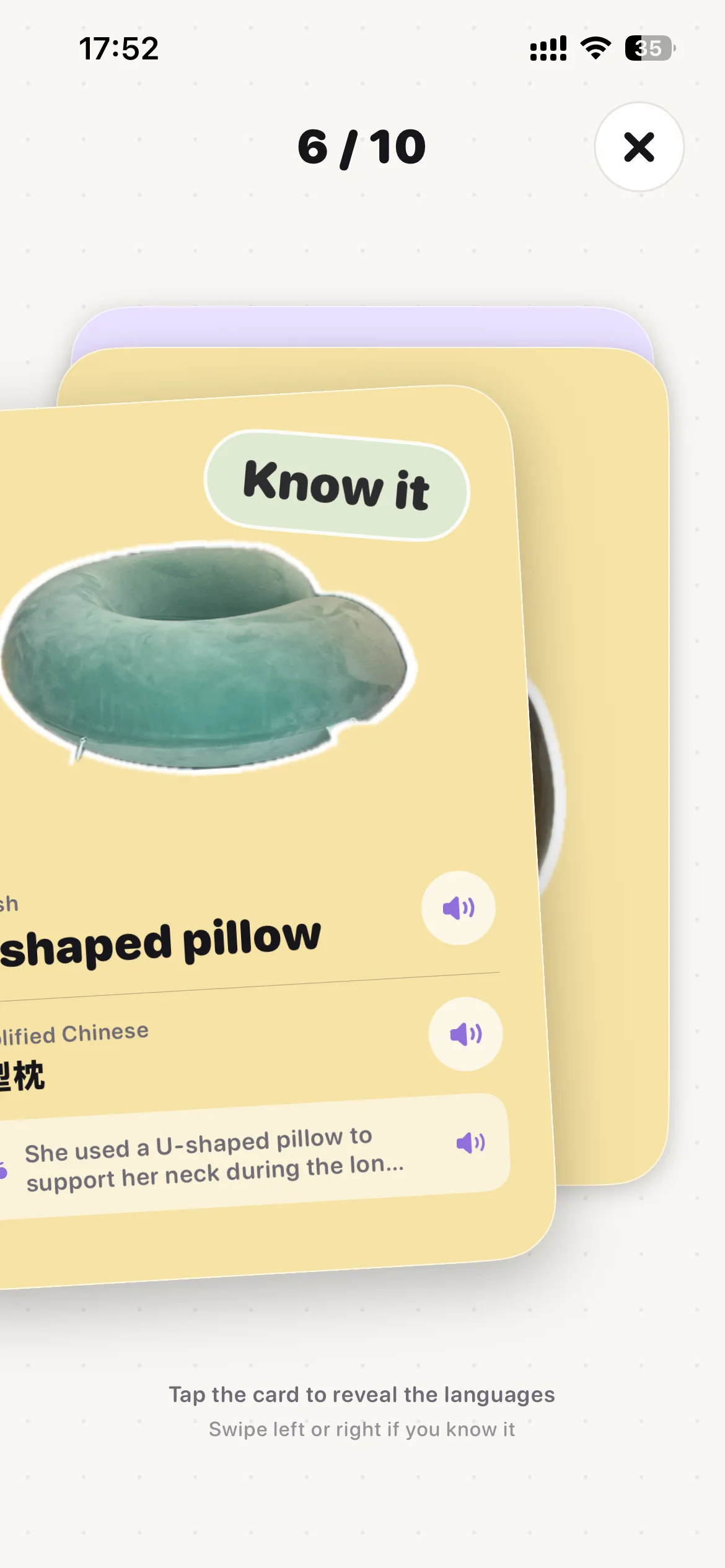
A sticker vocabulary book grown from your life: organize it by collections, review it in batches of 10, and turn words into small canvas posters.
CaptureCutoutWordReviewCanvas
Everyday scenes
The scenes where it becomes useful fast.
Learn together
Capture what a child notices at home, outside, or at the table, then turn it into words.
Prepare for travel
Keep tickets, food, places, and objects in one collection for a quick pre-trip review.
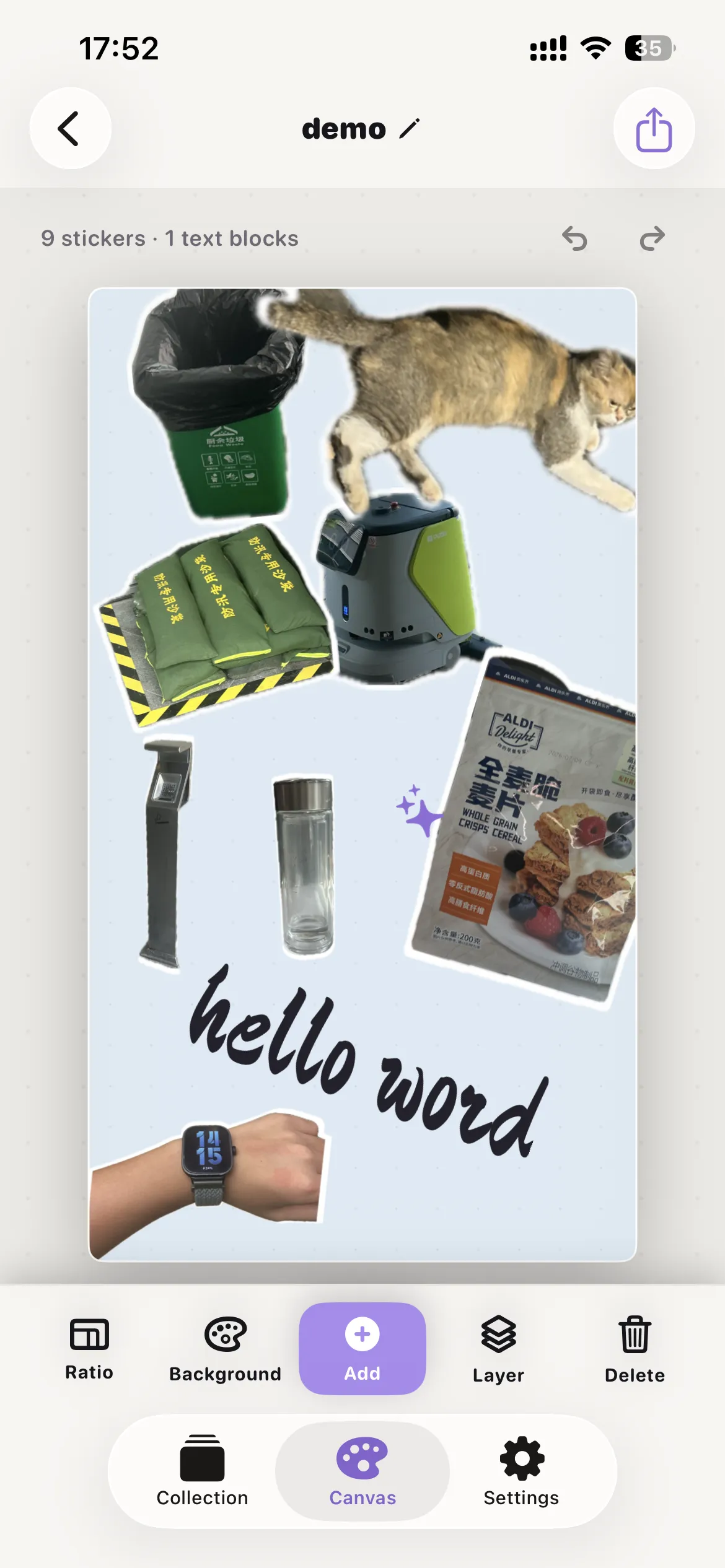
Make words visible
Arrange this week's stickers into a small poster on canvas, then save or share it.
Features
From capture to review to creation.
Your sticker vocabulary shelf
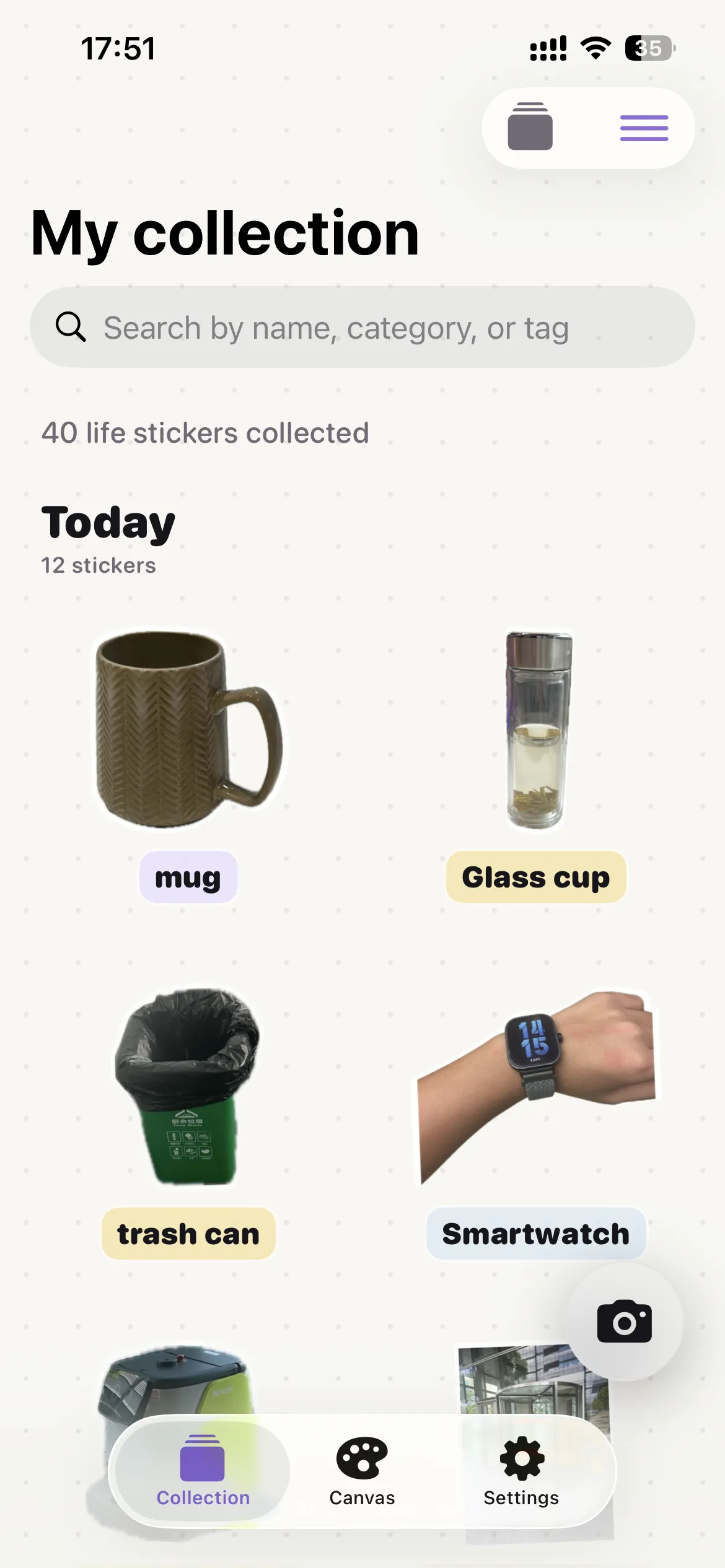
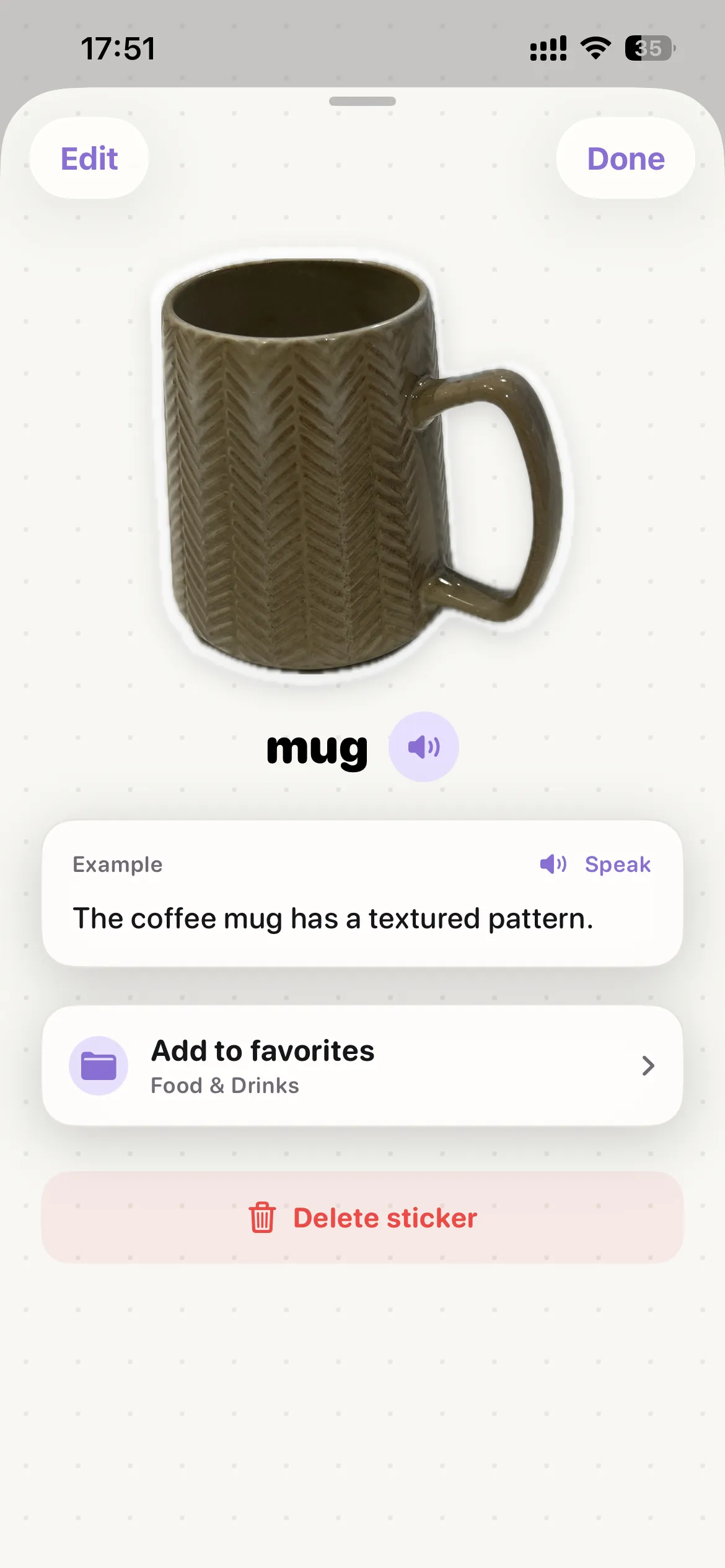
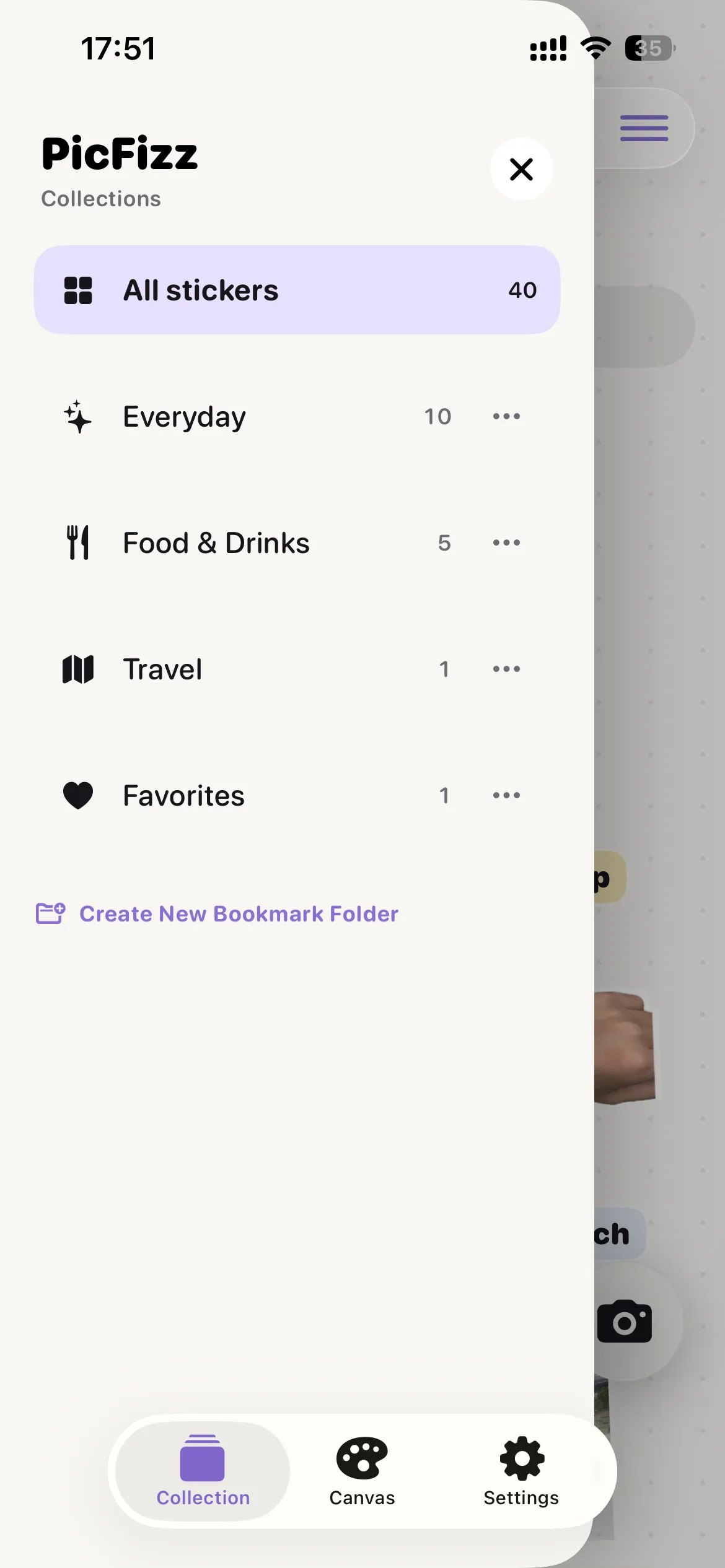
Browse by date, collection, search, and category. Each sticker can carry a name, translation, example sentence, and audio.
Make words into scenes
Start from a blank canvas, arrange stickers and text, tune ratio, background, layers, then export a sharp image.
Control language, sync, and access
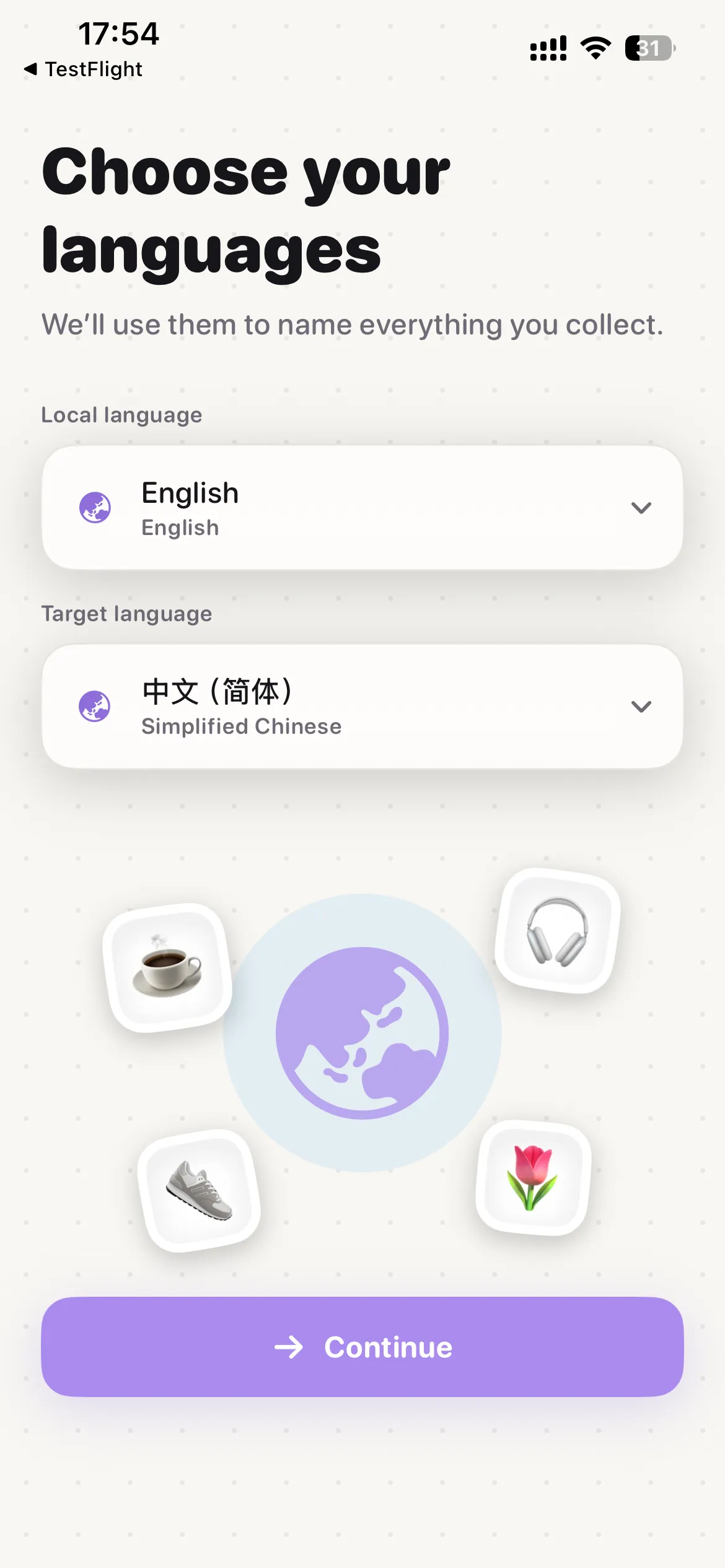
Manage interface language, study languages, iCloud sync, app updates, quota, and Pro subscription status.
Capture to memory
One capture leaves three memory cues.
PicFizz is not about organizing more chores. It turns one capture into reusable learning material.
- 01
Capture or import
Freeze the camera view or choose an existing image from Photos.
- 02
Cut out and recognize
Foreground images and thumbnails are saved separately while recognition and translation run together.
- 03
File it into collections
AI can reference your collections and return a candidate ID; the app assigns the sticker when you save.
- 04
Review or create
Study in batches of 10 cards, or place stickers onto a canvas and export the result.
Proof, not promises
Every key claim is backed by real app screens.
- Real object cutouts keep the white sticker edge and shadow, so words are tied to images.
- Collections, search, and labels keep vocabulary findable as the library grows.
- Review cards combine image, English, Chinese, example sentence, and audio.
- Canvas turns learned stickers into personal posters and shareable scenes.
Works with iPhone
Built around the system abilities people already use.
Camera and Photos
Capture on the spot or import an old image; both enter the same recognition and sticker flow.
iCloud sync
When enabled, sticker metadata, thumbnails, cutouts, and canvas previews sync through your Apple account.
Apple subscription management
Pro purchase, restore, and management happen through App Store. The website never handles payment details.
Pricing
Start free. Upgrade to Pro when it becomes a habit.
FreeStart for free
For trying capture, recognition, collection, review, and canvas creation.
- Basic recognition quota
- Local stickers and canvases
- Review cards and collections
ProShown in App Store
For building a lasting sticker vocabulary book and using PicFizz across devices.
- More AI recognition quota
- iCloud sync
- Monthly or yearly subscription
Final prices, trials, taxes, and availability are shown by the App Store.
Privacy by product shape
Photos are used to create stickers and language details, not a social feed.
Local first
Stickers, canvases, and drafts live on device. If you enable iCloud, sync uses your Apple account.
Necessary processing
Recognition and translation send images or text to the service, tied to an anonymous installation identity for quota and safety.
Apple-managed subscription
Pro is purchased, restored, and managed through Apple StoreKit. This website never handles payment details.
Questions
FAQ
Who is PicFizz for?
People who want to learn language from real things around them, including family learning, travel prep, and daily vocabulary building.
Do I need a template before creating?
No. The current product starts from a blank canvas. Templates may become an optional feature later.
Which languages are supported?
The launch experience is designed around common languages including Chinese, English, Japanese, Korean, Spanish, French, and German. The app suggests defaults from your system language.
Can I use it offline?
Saved stickers, canvases, and review content remain available. New recognition, translation, and subscription refreshes need a network connection.
Tonight's review can start with what you saw today.
Open PicFizz, capture a cup, a shoe, or a book, and let vocabulary grow from daily life.
 View on App Store